Promptuary
Stop rewriting the same prompts.
Your best prompts, organized and one shortcut away.
You use AI all day. Your good prompts are buried in old chats, random docs, and sticky notes you'll never find again. Promptuary keeps them all in your menu bar, ready the moment you need them.
On Mac, press a shortcut and paste anywhere. On iPhone and iPad, tap copy and paste into whatever you're using. That's it.


- No accounts
- No ads
- No tracking
- No internet needed
- Buy once, keep forever
How it works
It takes about 3 seconds
Press your shortcut
Hit your shortcut from any app. The launcher pops up right where you are.
Find your prompt
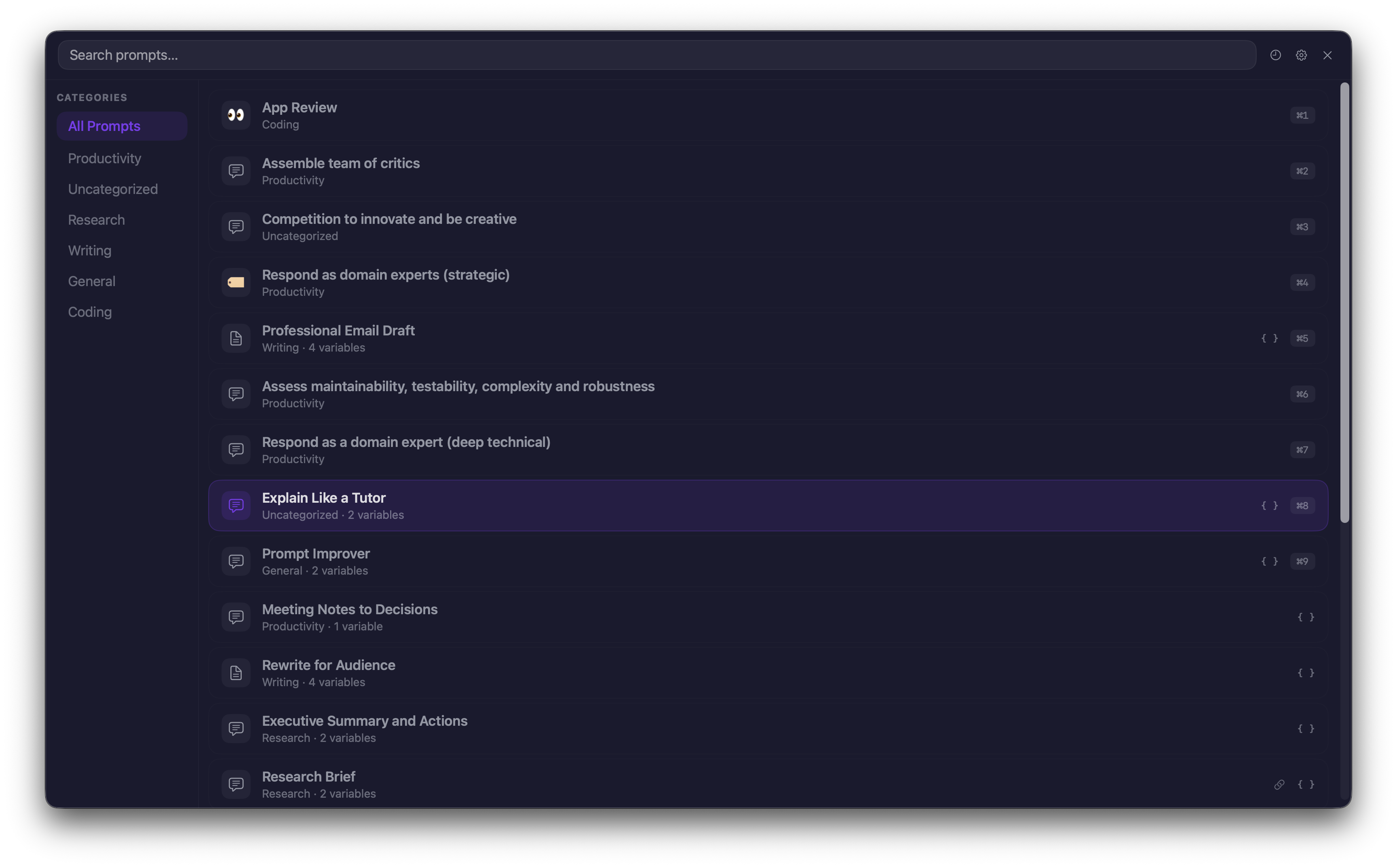
Search by name or browse by category. Arrow keys or mouse to navigate.
Press enter to copy
Your prompt is copied to the clipboard, ready to paste wherever you need it.
Mac, iPhone, and iPad
One prompt library across your Apple devices. Same prompts, categories, variables, and search on every platform.
Mac
Global shortcut, one-click paste, and app context detection. The full power-user experience from your menu bar.
- Global keyboard shortcut from any app
- Spotlight search integration
- Variables, fragments, and chains
- Optional iCloud sync
iPhone & iPad
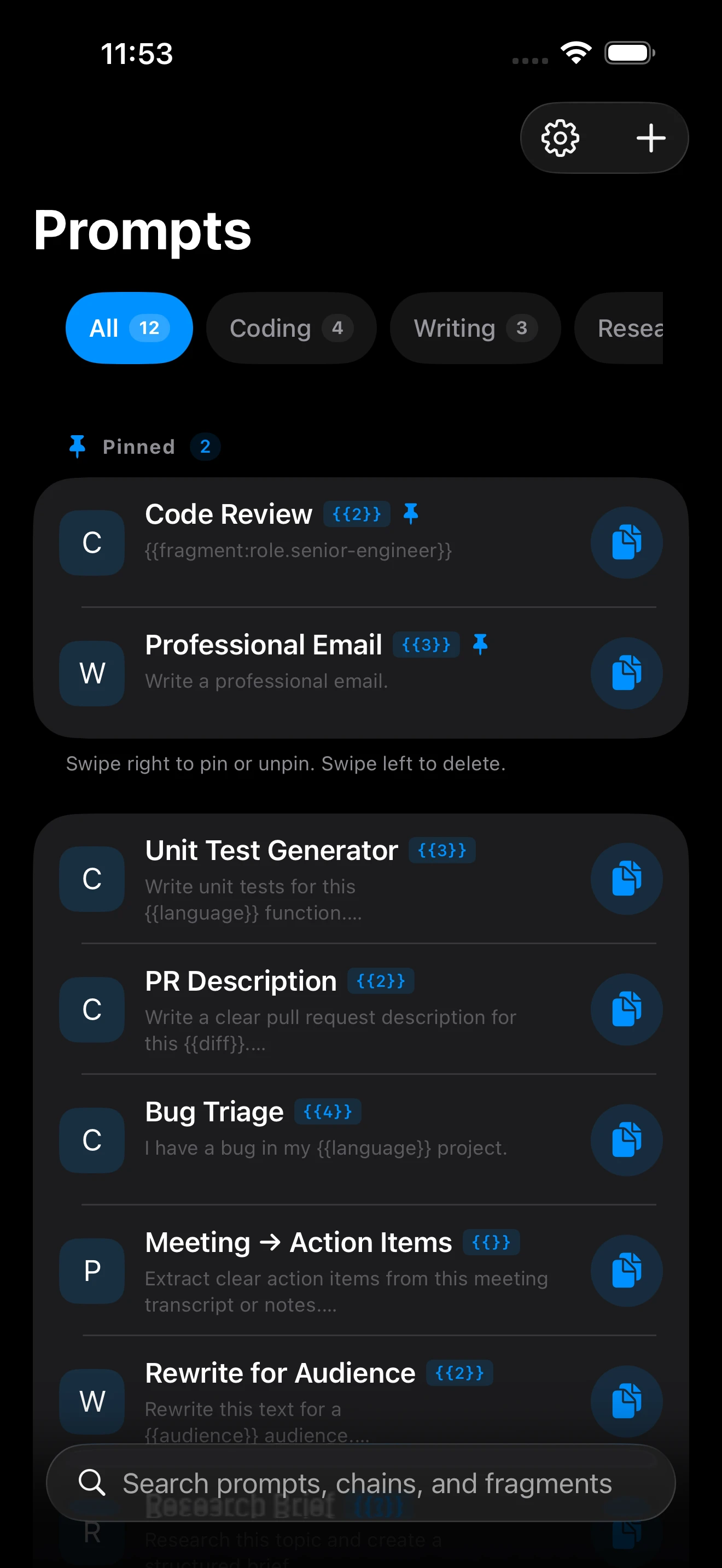
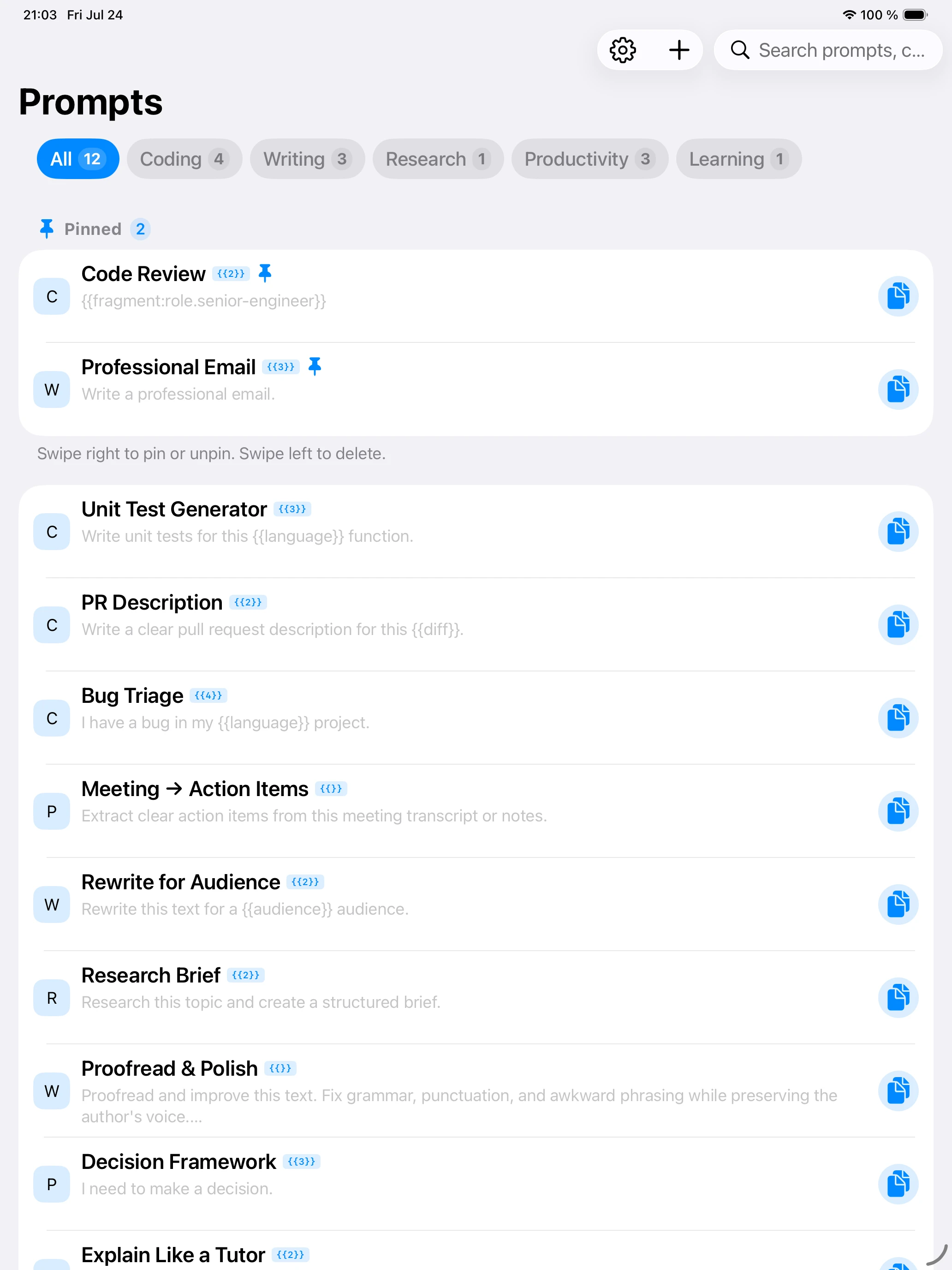
Your complete prompt workspace in your pocket. Browse prompts, fragments, and chains together, fill variables, and copy wherever you work.
- Prompts, fragments, and chains in one workspace
- Full-text search
- One-tap copy
- Markdown editor with formatted preview
- Local or iCloud storage with Mac sync
One workspace on every device
Prompts, fragments, and chains stay together on iPhone and iPad. Search, fill variables, edit Markdown, then copy the finished text into any app.
Find any prompt in seconds
Search by name, browse by category, use arrow keys to navigate. The launcher pops up wherever you're working and gets out of the way when you're done.
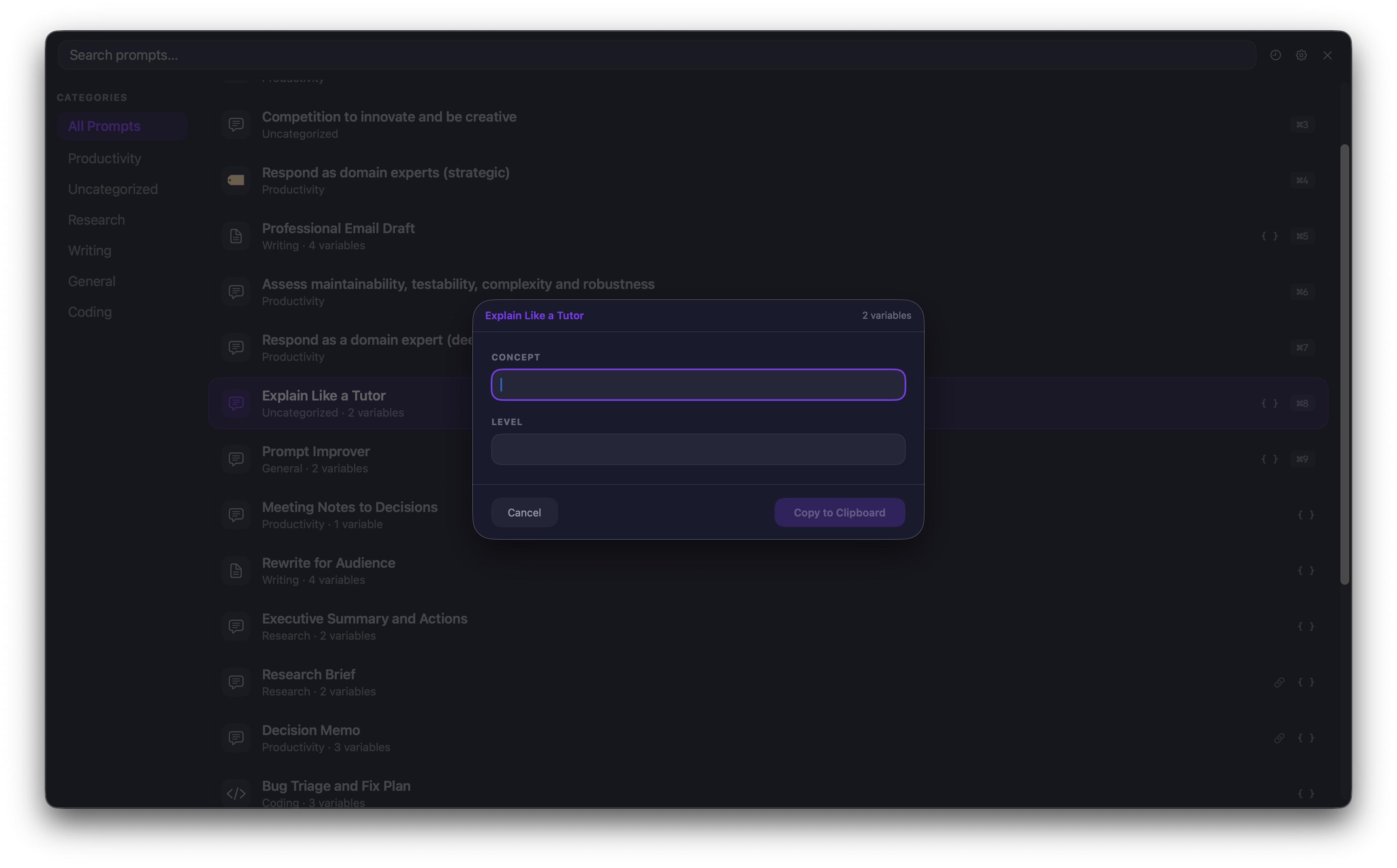
Variables keep prompts flexible
Put {{placeholders}} in your prompts for the parts that change. When you use the prompt, you get a quick form to fill them in. Promptuary remembers your recent values so you don't have to retype them.
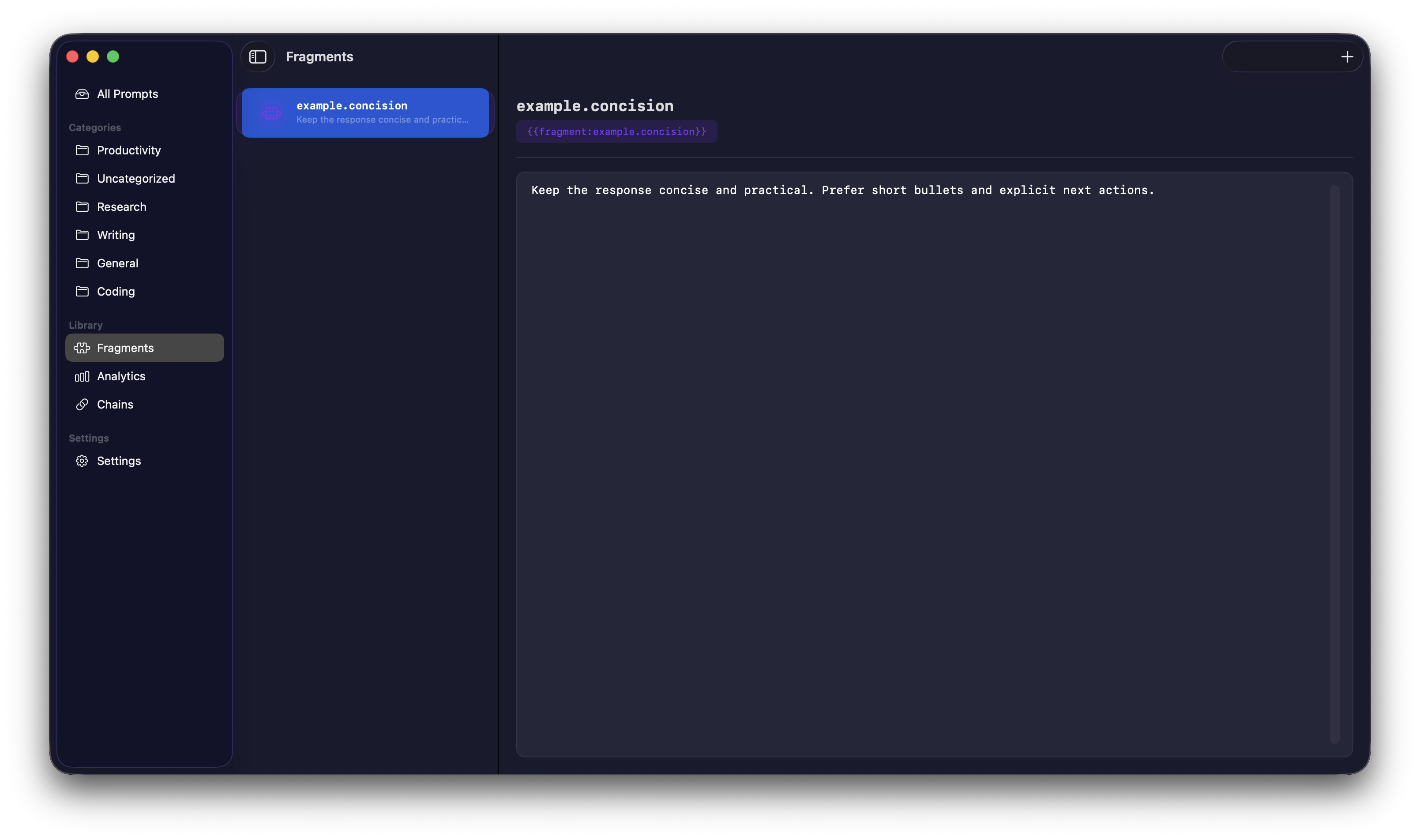
Reusable building blocks
Fragments are bits of text you use across many prompts, like tone instructions, role definitions, or project context. Change a fragment once and every prompt that uses it picks up the update.
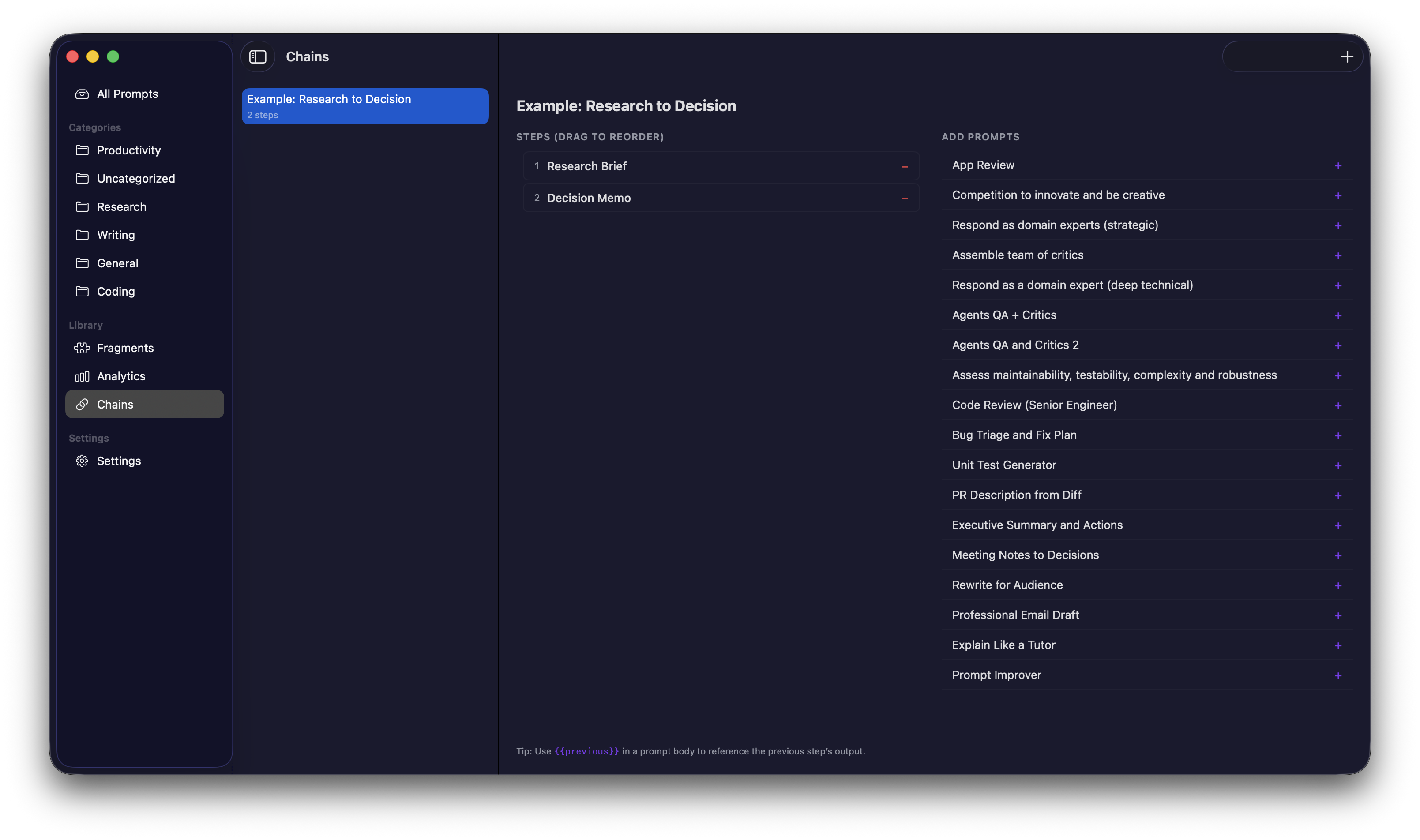
Multi-step prompt chains
String prompts together into a sequence. Each step can pull in the previous step's output. Run the whole chain or pause between steps to tweak things.
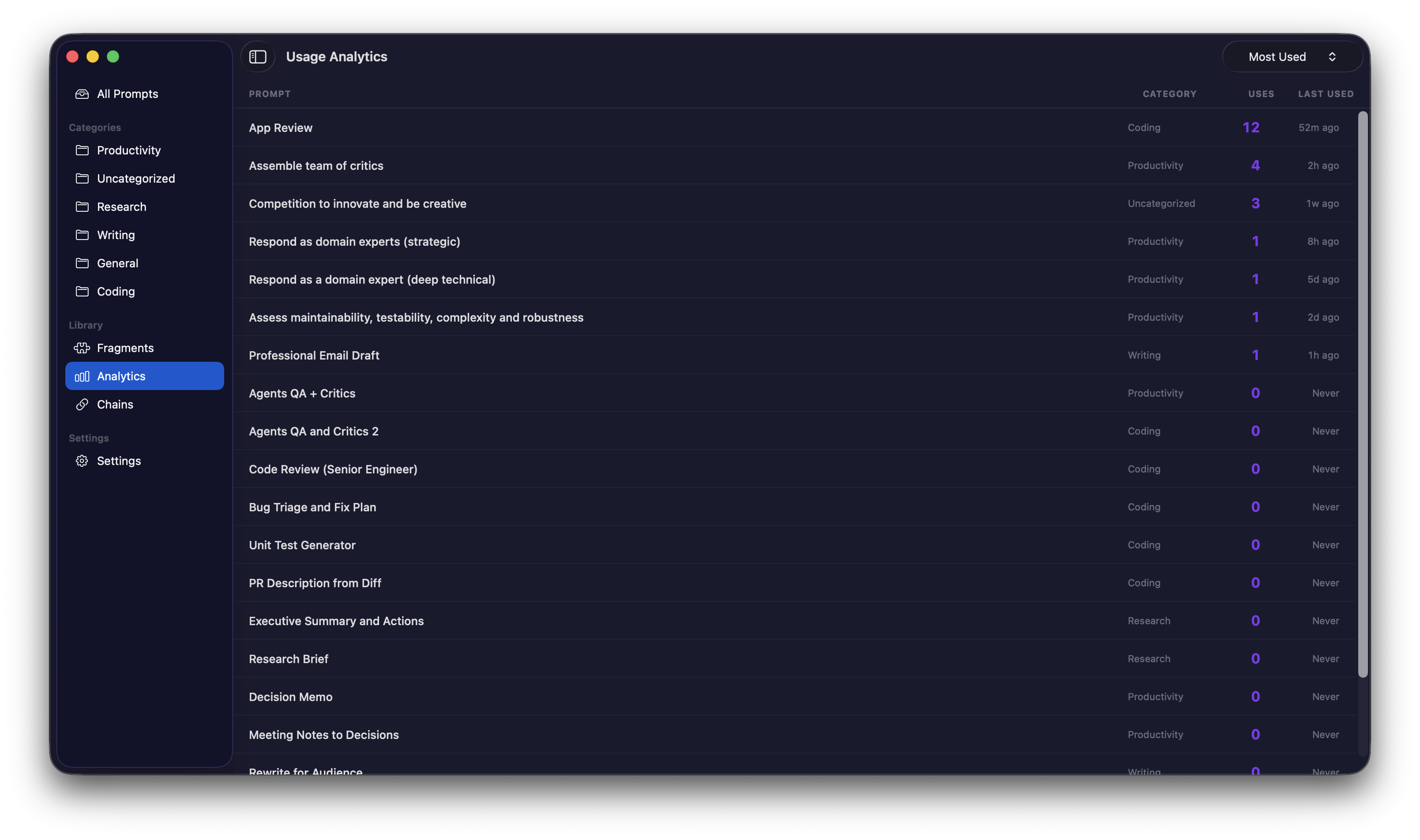
On Mac, see which prompts you use
Mac usage analytics show how often each prompt gets used and when you last reached for it. Spot your most valuable prompts and clean out the ones gathering dust.
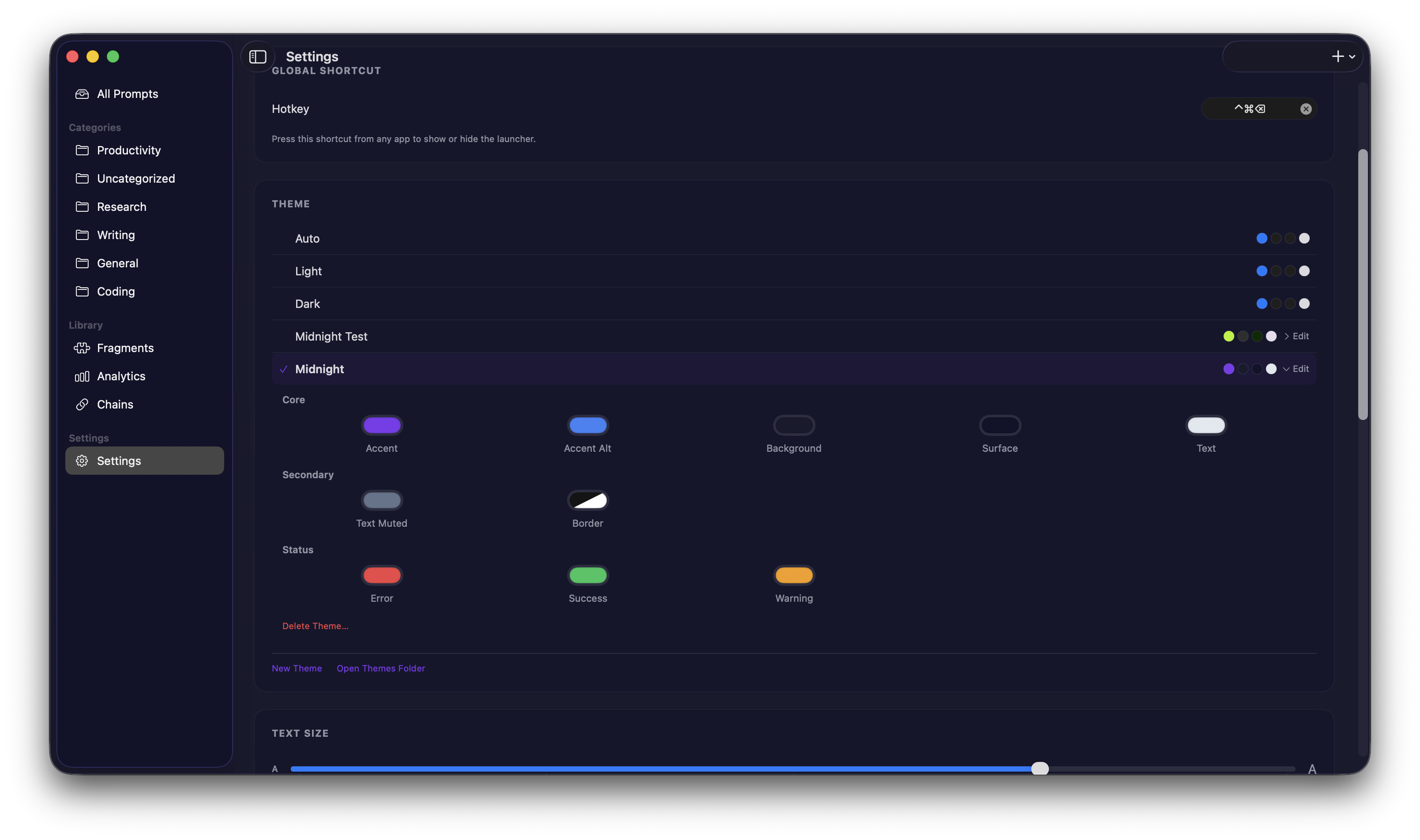
On Mac, make it yours with custom themes
Pick from built-in Mac themes or create your own. Adjust accent colors, backgrounds, and text to match your style. Every color is editable in Settings.
The details
iCloud Sync
Keep your prompts in sync across Mac, iPhone, and iPad, or keep everything local. Up to you.
Keyboard-first
Arrow keys, search, tab between categories. You never have to touch the mouse.
Spotlight search
Your prompts are indexed in Spotlight, making them searchable system-wide from anywhere on your Mac.
Mac usage analytics
See which prompts you use most and when you last reached for them. All tracked locally on your Mac.
Mac custom themes
Built-in light and dark themes, or create your own with full control over every color.
Your prompts stay yours
Everything stays on your device. If you turn on iCloud sync, it goes through your own iCloud account and we never see any of it. No accounts, no analytics, no servers on our end.
Read the privacy policyGive your prompts a proper home
One-time purchase. No subscription. No account required.